How to create a habit plan
Group several habit templates into a plan you can assign to clients in one go.
Written By Jacob Elliott
Last updated 1 day ago
A habit plan bundles several habit templates so you can assign them to a client together. Create the habits first. See How to create a habit.
Create a habit plan
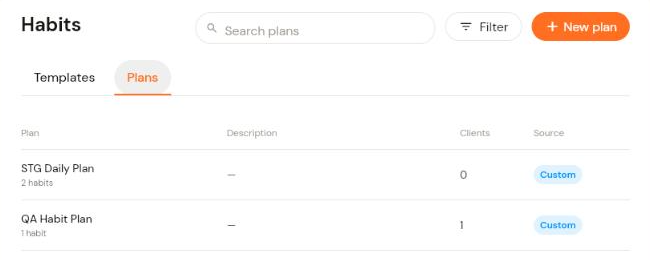
In the left menu, open Clients, click Habits, then click the Plans tab. The list shows each plan, how many habits it contains and how many clients have it.
Click + New plan in the top right.
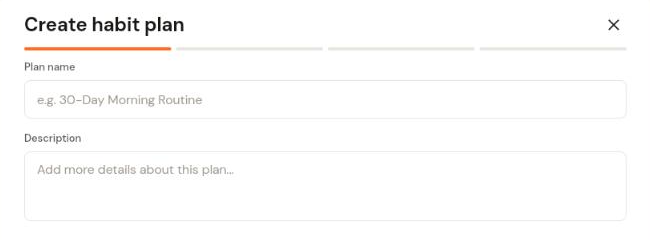
Enter a Plan name and an optional Description, then click Continue.
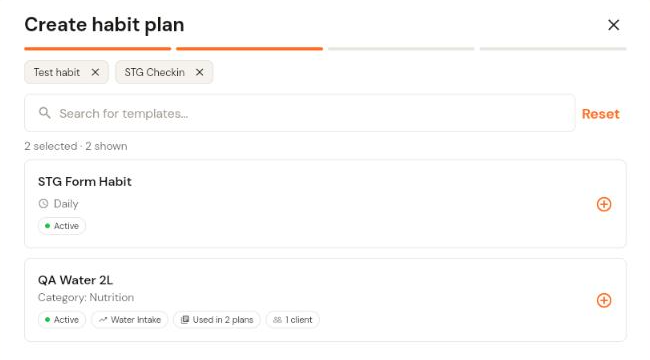
Select the habit templates to include. Search or click the + on each habit. Selected habits show as chips at the top; click the x on a chip or Reset to remove them. Click Continue.
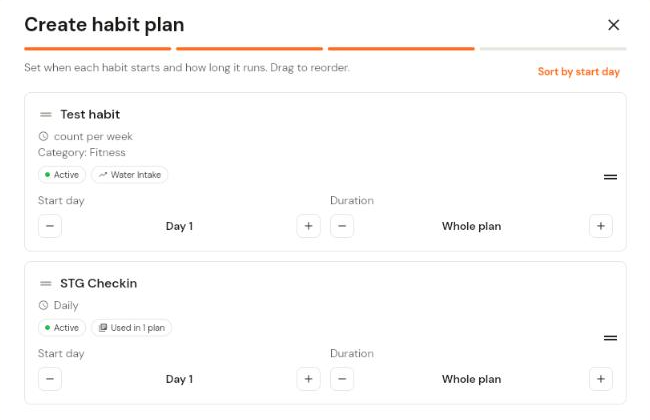
Set when each habit starts and how long it runs. Use the + and - buttons to change the Start day (Day 1 is the plan start) and the Duration (default is the whole plan). Drag the handle on the left to reorder habits, or click Sort by start day. Click Continue.
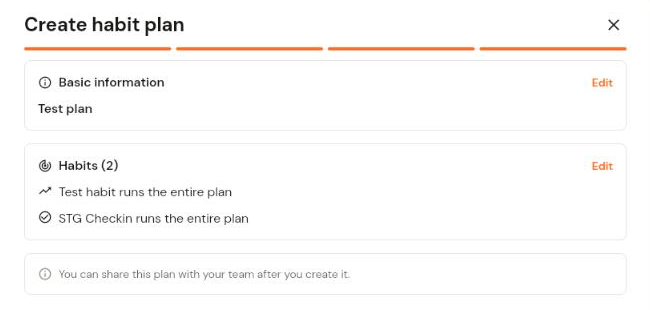
Review the summary (each section has an Edit link) and click Create plan. You can share the plan with your team after it is created.
To assign the plan to clients, see How to assign and manage habit plans.