How to Assign and Mange Habit Plans
Habit plans allow you to schedule and deliver structured habit sequences to your clients. This guide covers how to assign, manage, edit, duplicate, and delete your habit plans inside CoreCoach.
Written By Jacob Elliott
Last updated 4 months ago
Video walkthrough of how to assign a habit plan
Before you begin
You must already have a habit plan created before assigning it.
If you don’t have one yet, see our guide here: How to Create a Habit Plan.
Steps to assign a habit plan
1. Go to the Clients Tab
Navigate to the Clients tab, then open the Habits section at the top then go to Habit Plans.
Tap on Plans to view all of your habit plans.
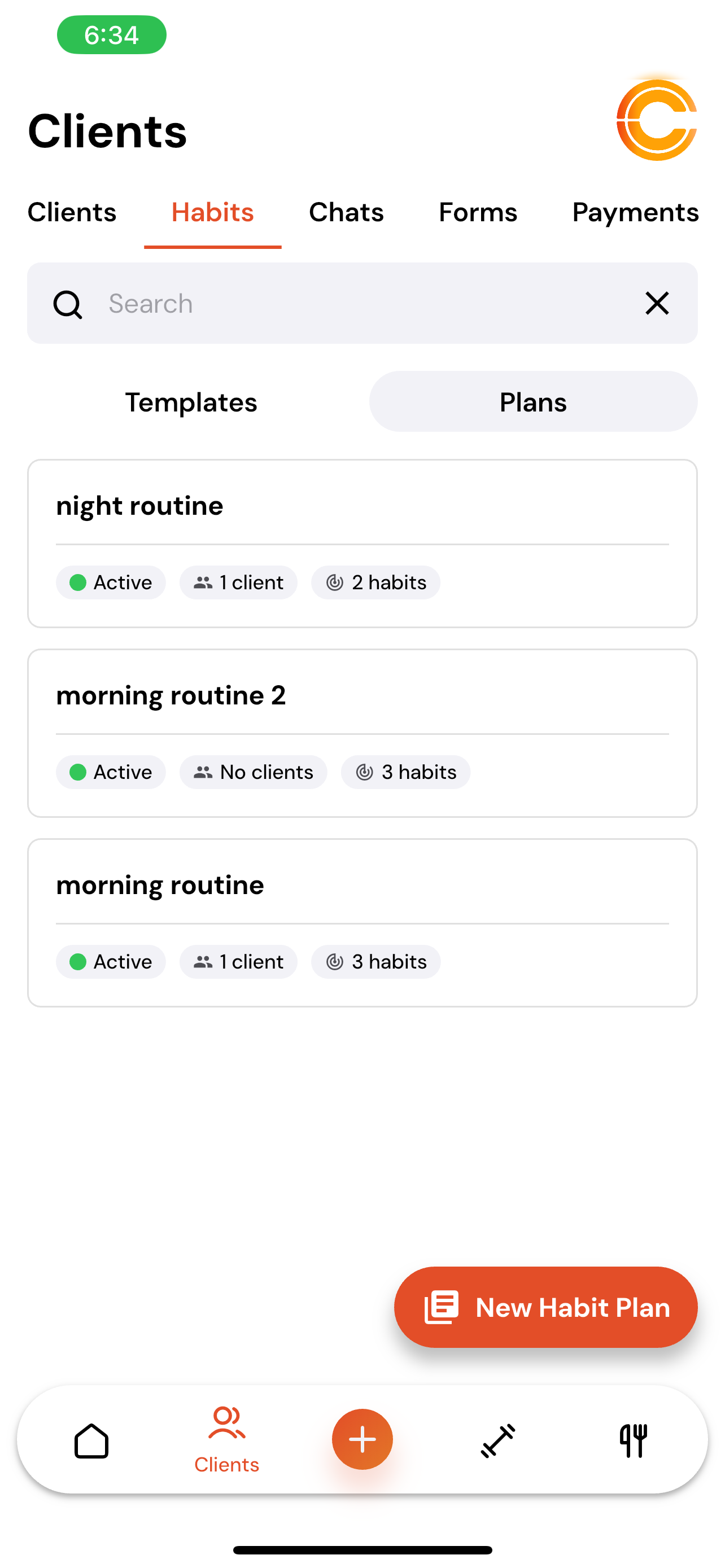
2. Select a Habit Plan
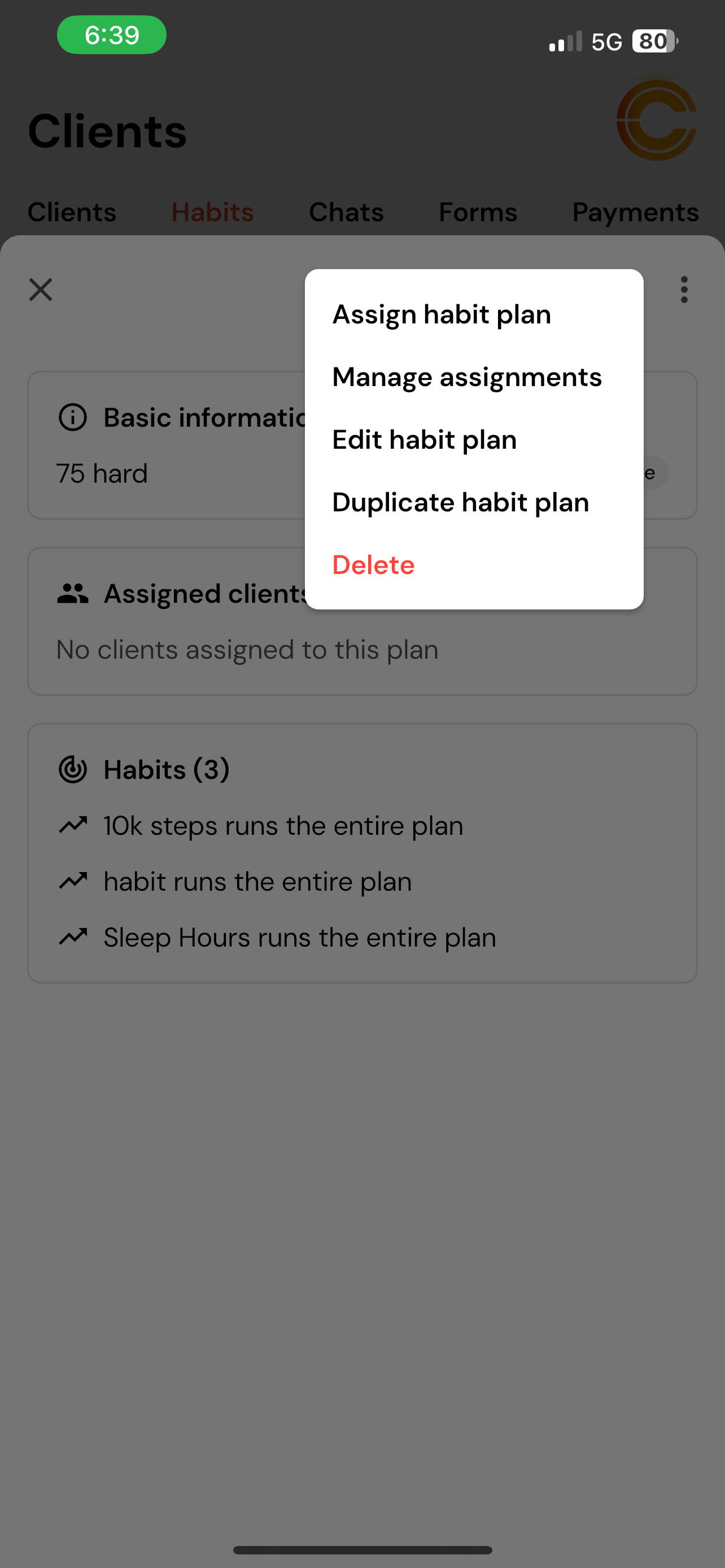
Choose the habit plan you want to assign, Click on the plan, then tap the three dots (⋮) in the top-right corner and select Assign Habit Plan.
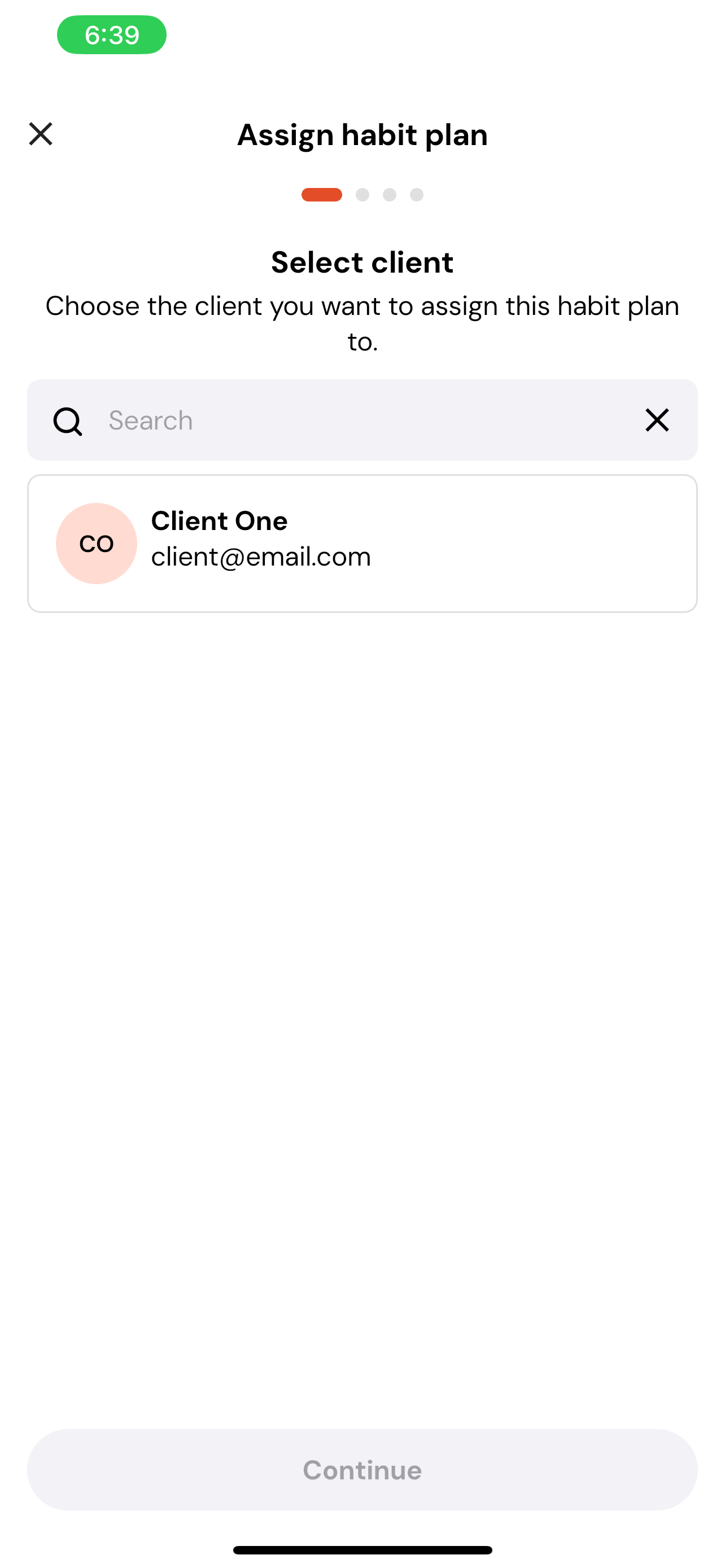
3. Choose the Client(s)
Select the client or clients you want to assign the plan to, then tap Continue.
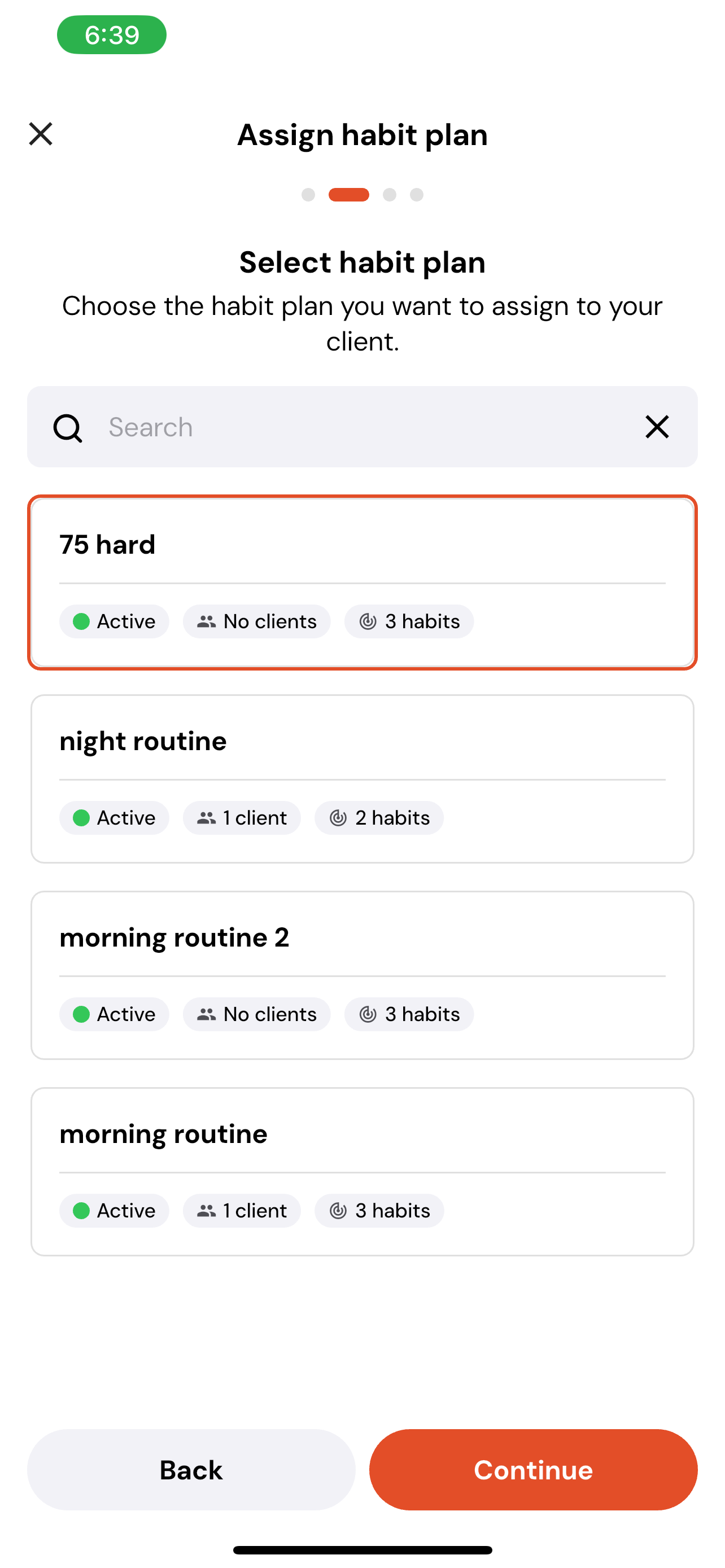
4. Select your Habit Plan
Make sure the correct plan is selected (You can also select multiple plans) and tap Continue.
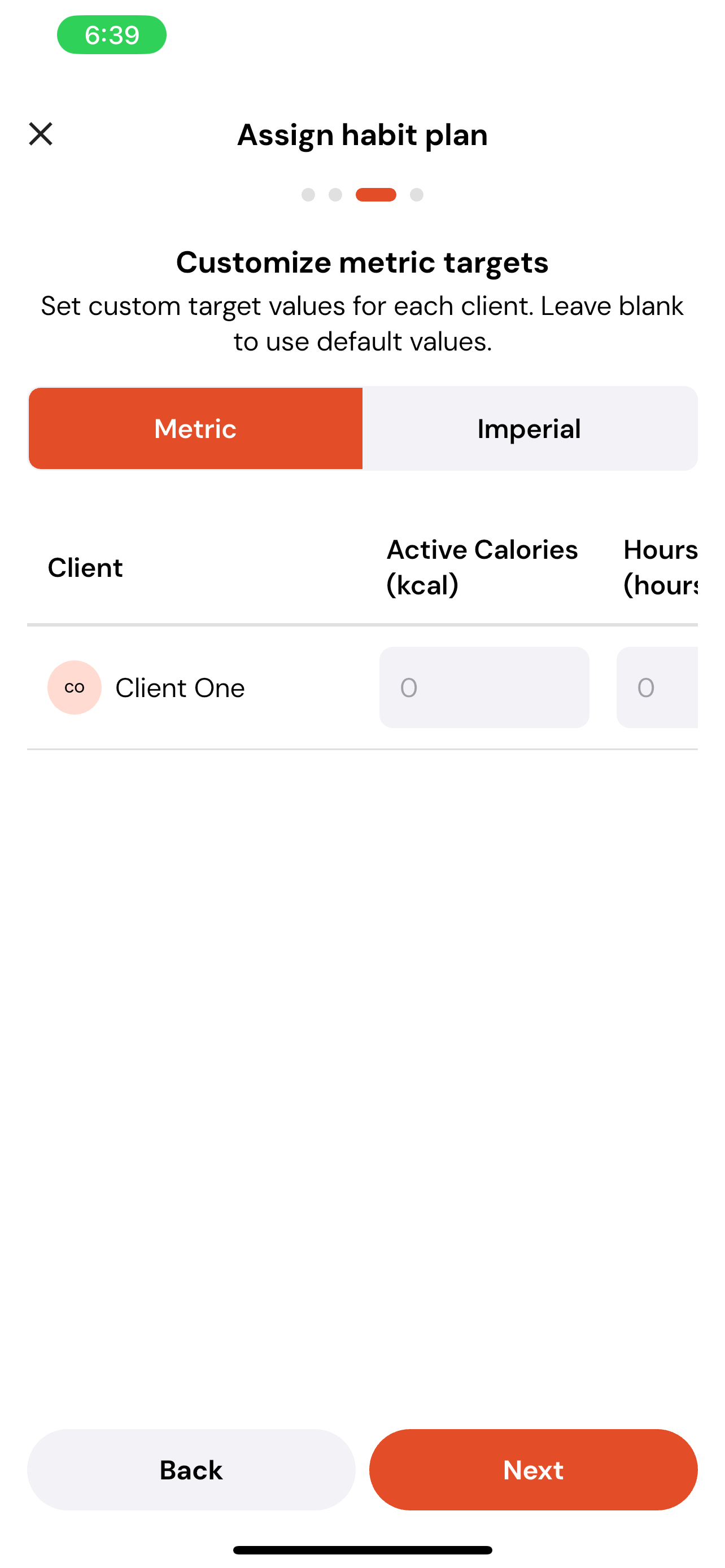
5. Add Custom Metrics (If Applicable)
If any of the habits in the plan use numeric tracking, you can adjust:
Target values
Metric or imperial units
Tap Next once complete.
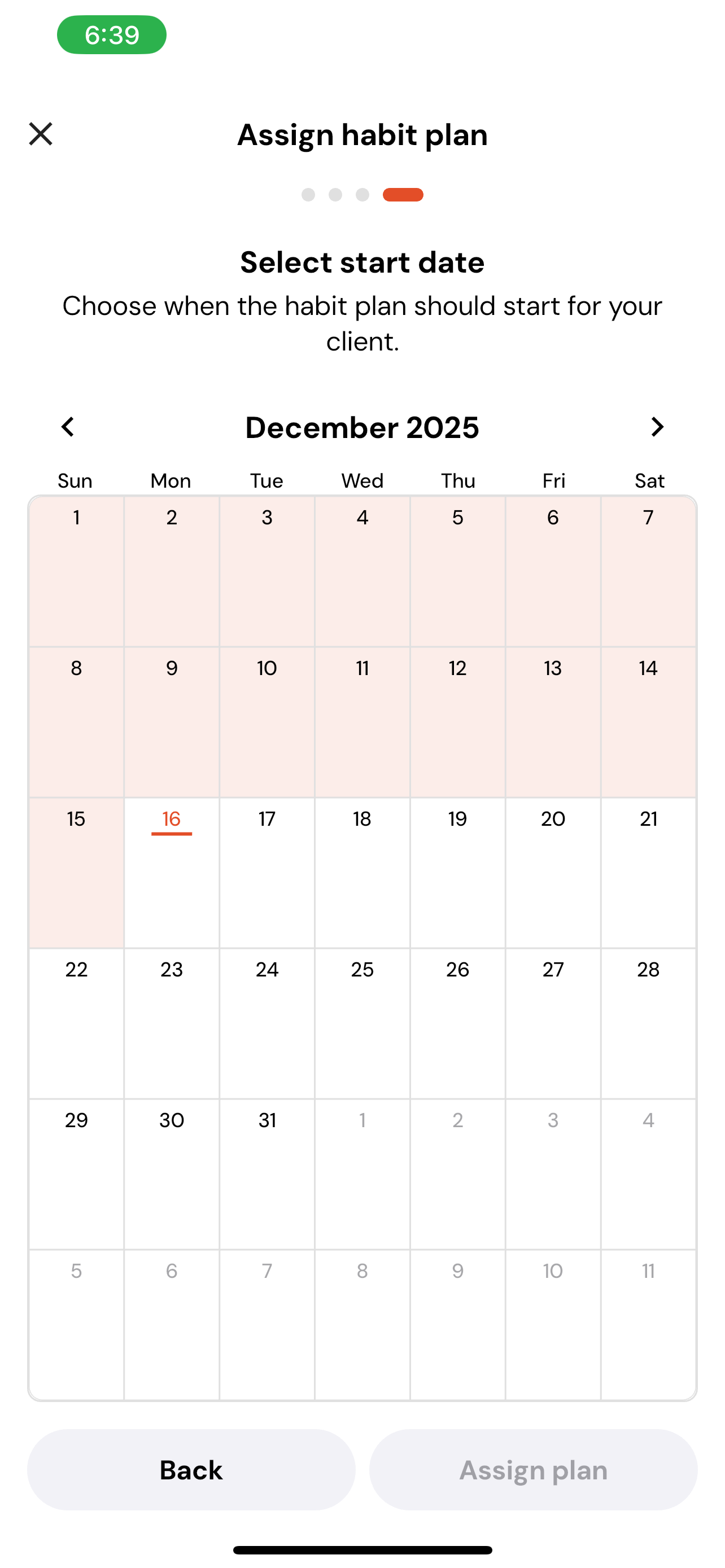
6. Choose the Start Date
Select when the habit plan should begin.
Note: Habit plans cannot begin on past dates.
Tap Assign Plan to finalise.