How to Set Up White Labelling
White labelling allows you to customise the look and feel of CoreCoach to match your brand.
Written By Jacob Elliott
Last updated 4 months ago
How to Set Up White Labelling
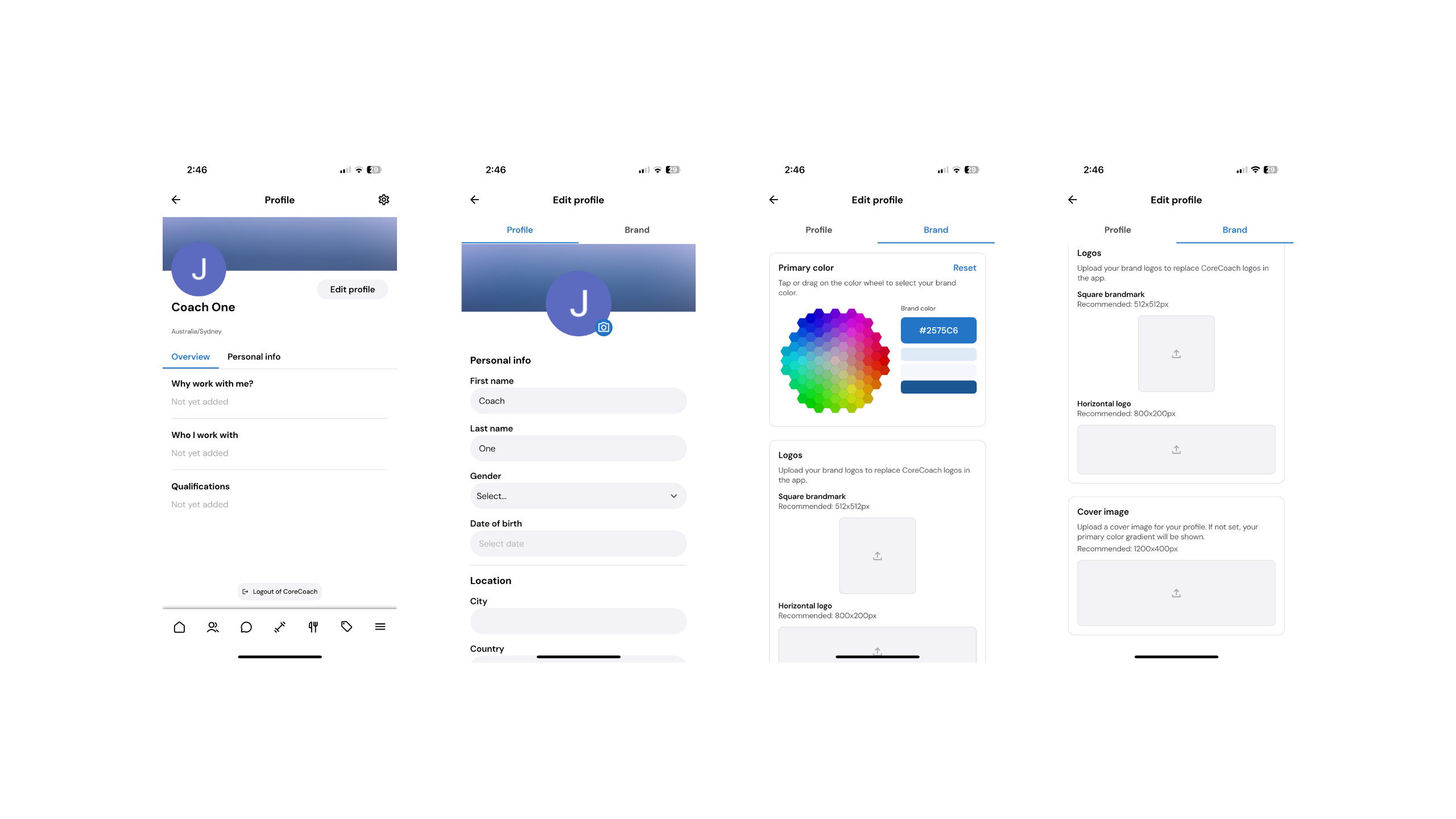
To customise your branding:
Navigate to your Profile
Select Edit Profile
Select the Brand tab on the right-hand side
Inside the Brand tab, you can:
• Change your Primary Colour
• Upload your Square Brand Mark Logo
• Upload your Horizontal Logo
• Upload your Cover Image
Once updated, your branding will automatically apply throughout the app — both on your end and your client’s end.
This ensures a consistent and professional brand experience inside CoreCoach.
Important Note
White labelling currently does not change:
• The name of the app
• The app icon/logo on your or your client’s home screen
These elements remain as CoreCoach.