How to Add a Video Link to an Existing Inbuilt Exercise
How to add your own exercise video links
Written By Jacob Elliott
Last updated 4 months ago
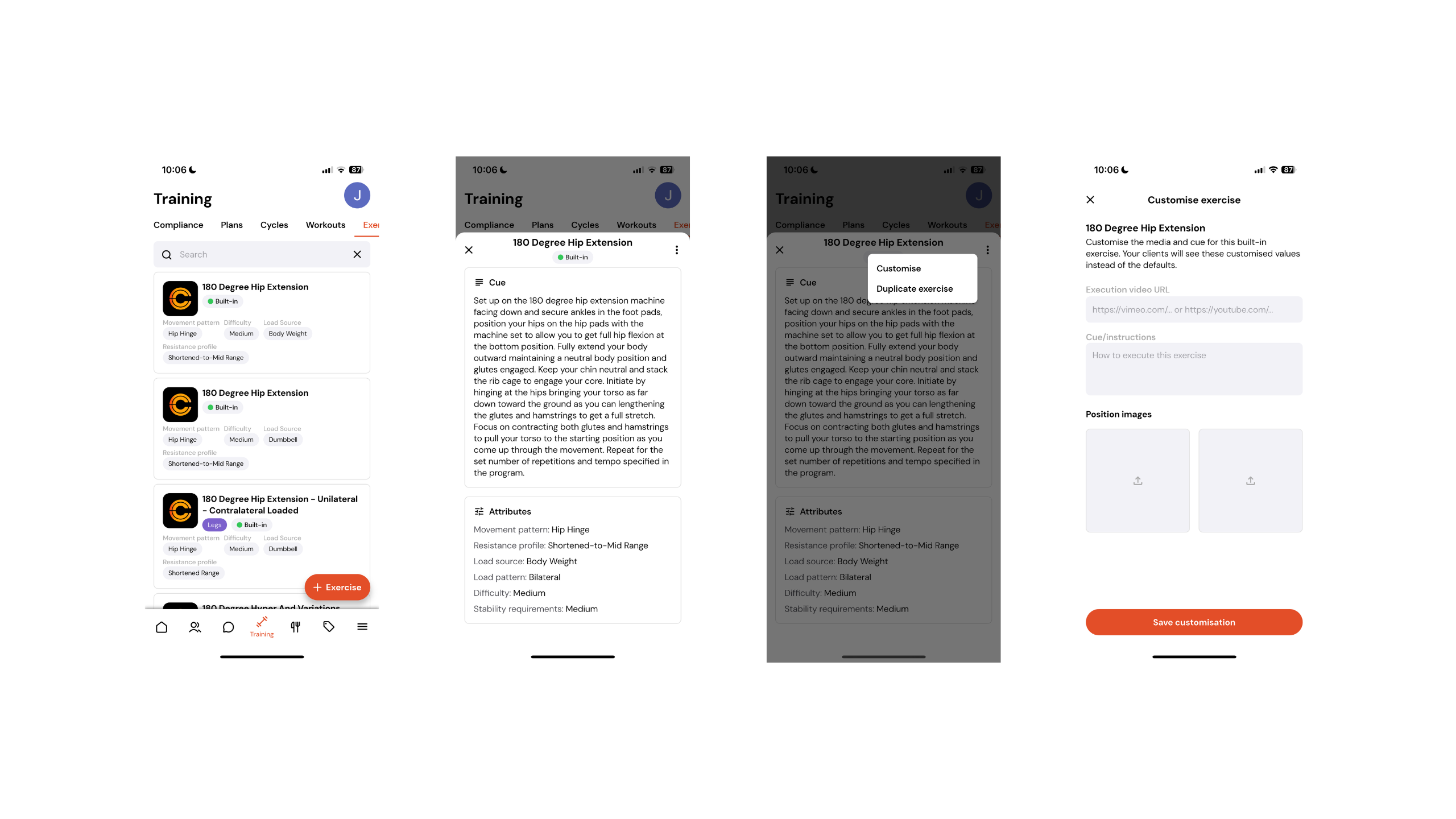
First, navigate to the Training tab.
Next, select Exercises, then search for and click on the exercise you would like to add a video link to.
Once inside the exercise, click the three dots in the top right hand corner and select Customise.
Here, you will be able to add your video link, update the cues and instructions, and upload custom images for the exercise.
Once saved, these updates will reflect in your client’s exercise library whenever this exercise is programmed into their workouts.