How to Manage, Edit, Duplicate, and Delete Habit Plans
CoreCoach gives you full control over habit plans after they are created. This includes managing assigned clients, editing the plan, duplicating it, or deleting it.
Written By Jacob Elliott
Last updated 4 months ago
Before you begin:
You must already have a habit plan created.
If you don’t have one yet, see our guide here: How to Create a Habit Plan.
Managing assigned clients
1. Open the Habit Plans Section
Go to the Clients tab → Habits → Plans.
2. Select Your Habit Plan
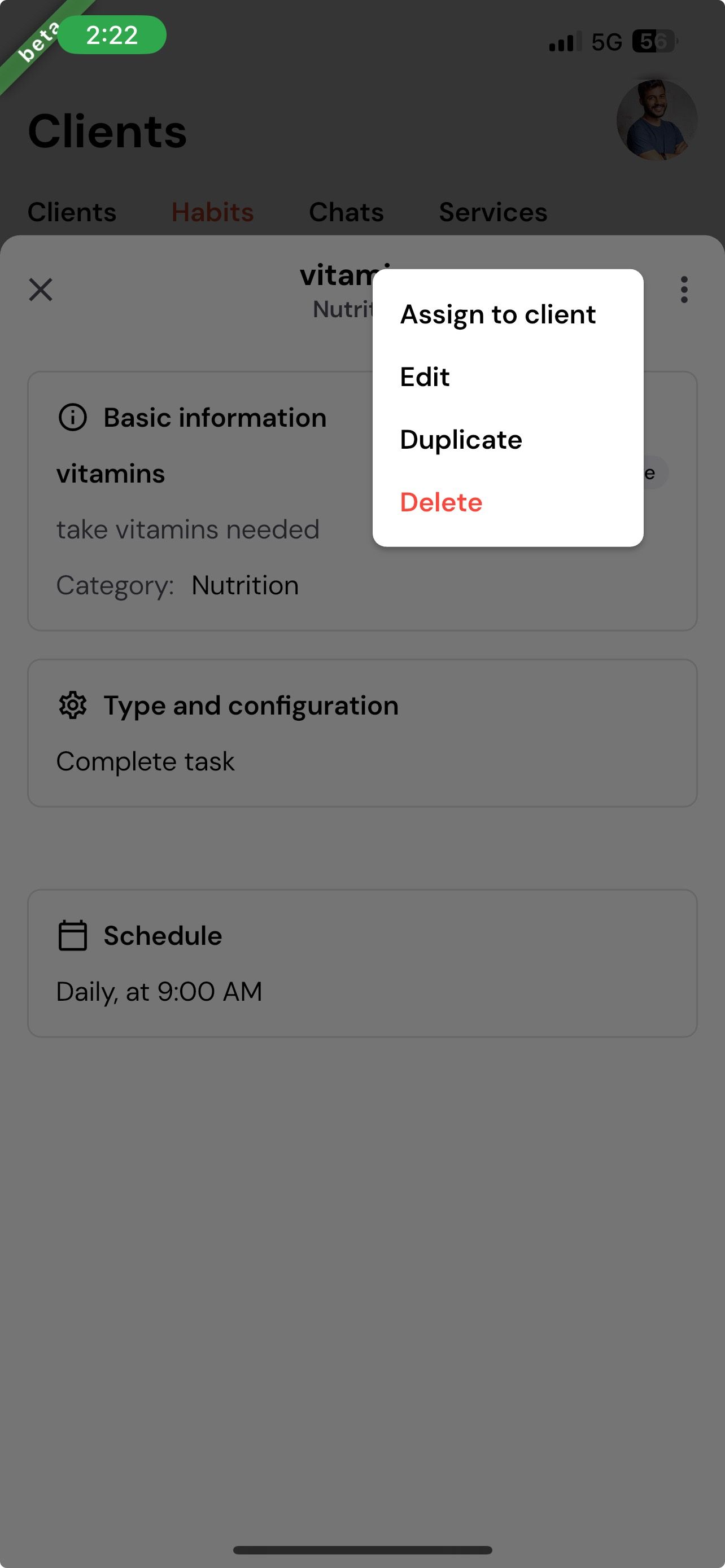
Tap the three dots (⋮) and choose Manage Assignments.
3. Add or Remove Clients
To remove a client: unselect their name
To add a client: select them
Tap Continue to save your changes.
Editing a habit plan
1. Open the Options Menu
Tap the three dots (⋮) and select Edit Habit Plan.
2. Update the Plan
You can edit:
Name
Description
Habits included
Targets
Order and timings
Duration
3. Save Your Changes
Continue through each step and tap Save & Continue at the end.
Duplicating a habit plan
1. Select Duplicate Habit Plan
Tap the three dots (⋮) and choose Duplicate Habit Plan.
2. Enter New Details
Update the name or description if needed.
3. Save the New Plan
This creates a copy you can edit or assign independently
Deleting a habit plan
1. Select Delete Habit Plan
Tap the three dots (⋮) and choose Delete Habit Plan.
2. Confirm Deletion
Once confirmed, the habit plan will be permanently removed.