How to Log Habits From a Previous Day
How to log habits for previous days
Written By Jacob Elliott
Last updated 5 months ago
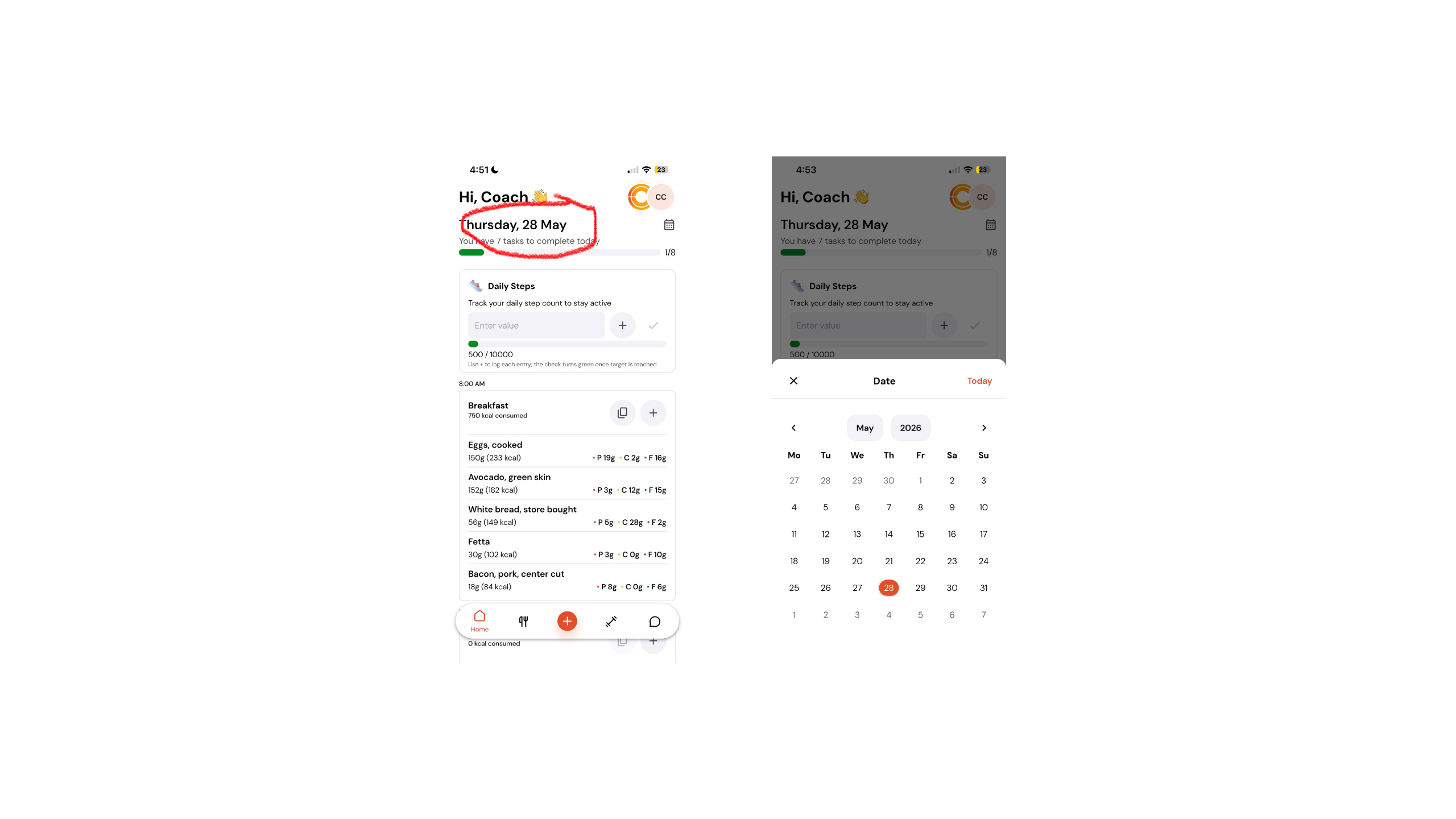
Navigate to your Home screen inside of the app.
In the top left-hand corner, click on the section that shows the current day and date.
A calendar view will appear. Select the previous day you would like to log your habits for.
Once selected, scroll down through the Home page and log your habits as normal.
After you are finished, scroll back to the top, click on the day/date section again, and select the current day to return back to today’s view.
Was this helpful?
Still need help? Share an idea