How to create a habit
Build a habit template in CoreCoach that you can assign to any client.
Written By Jacob Elliott
Last updated About 2 months ago
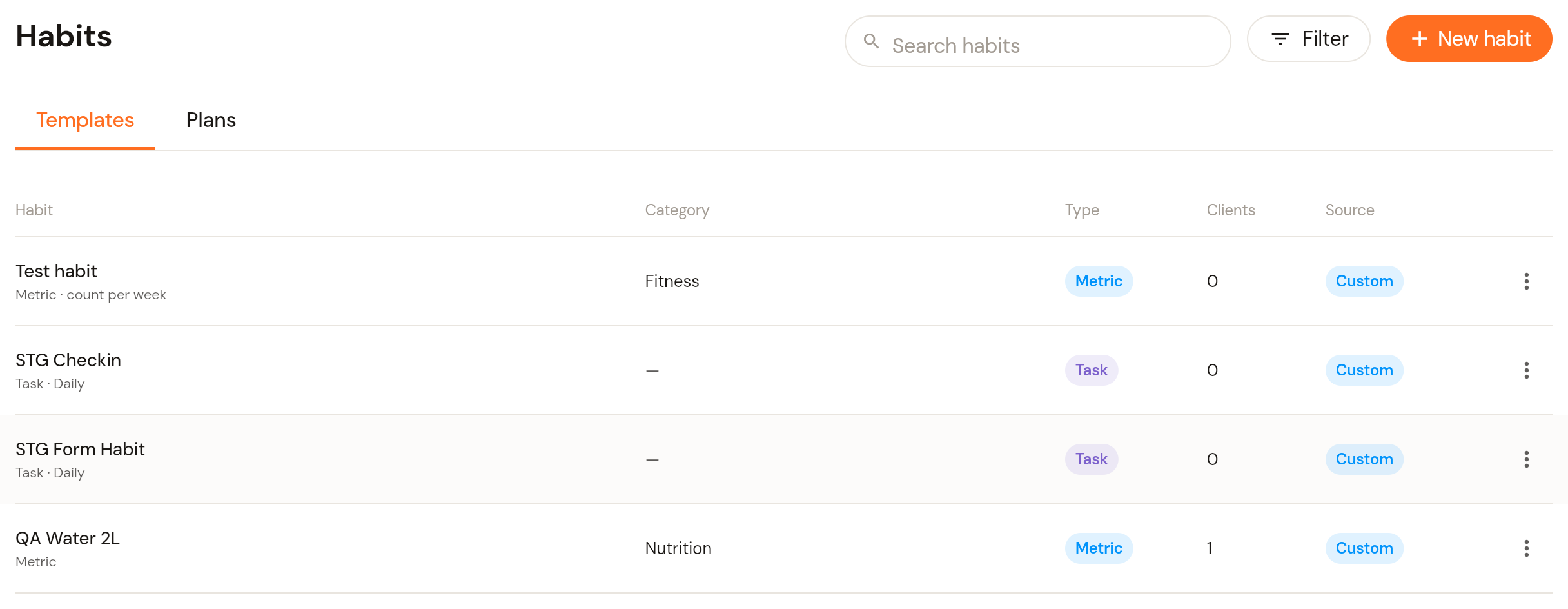
Habits are the daily or weekly tasks and metrics your clients log in their app. You build them once as templates, then assign them to clients, either on their own or grouped into a habit plan.
Open the Habits page
In the left menu, open Clients and click Habits. The Templates tab lists your habit templates with their category, type (Task or Metric), how many clients have them and whether they are custom or built in. The Plans tab holds habit plans.
Click + New habit in the top right (or the + next to Habits in the menu).
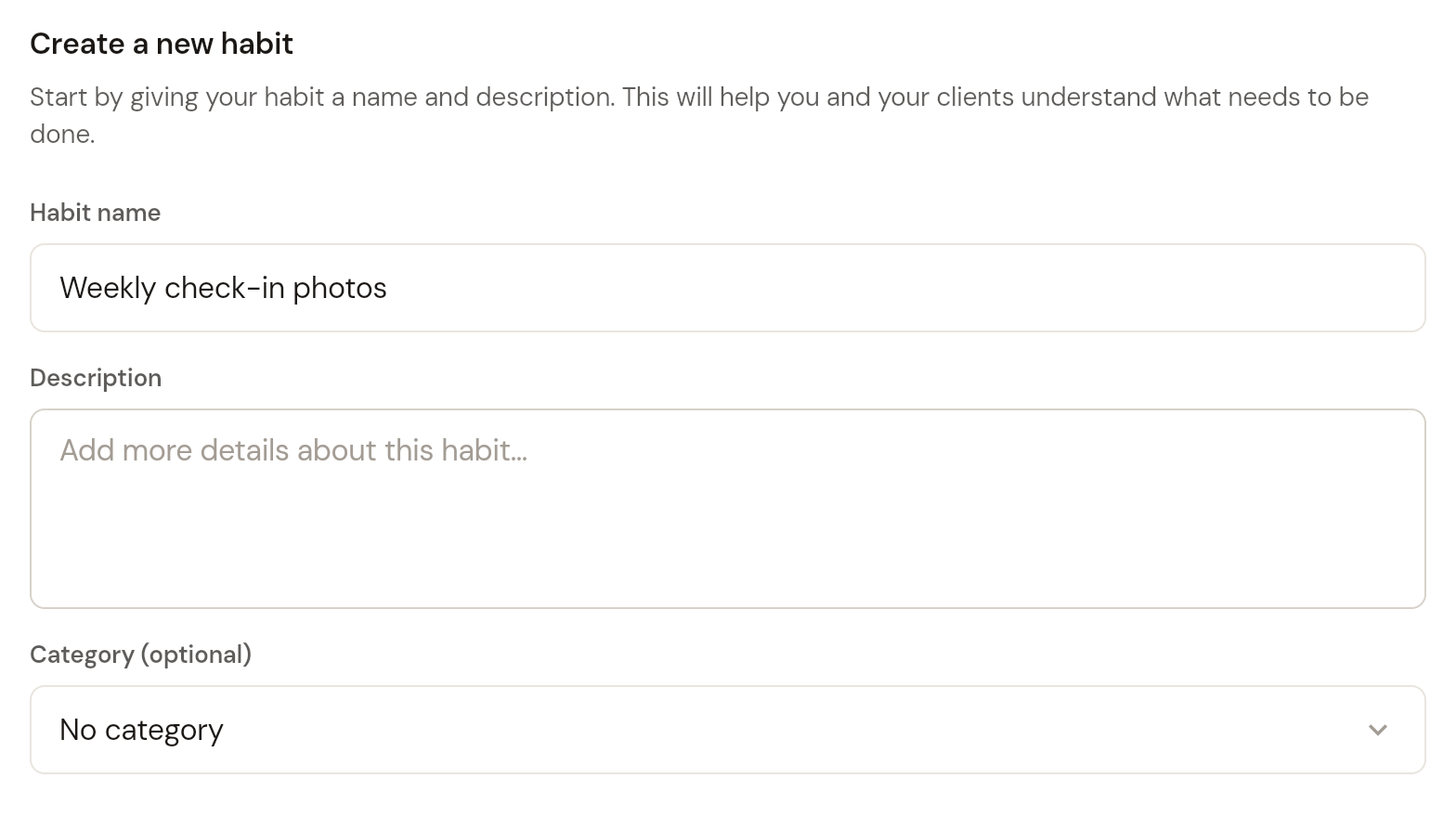
Step 1: Name and description
Enter a Habit name (required) and a Description. Optionally pick a Category such as Fitness, Nutrition, Wellness, Productivity, Lifestyle, Sleep or Social. Click Next.
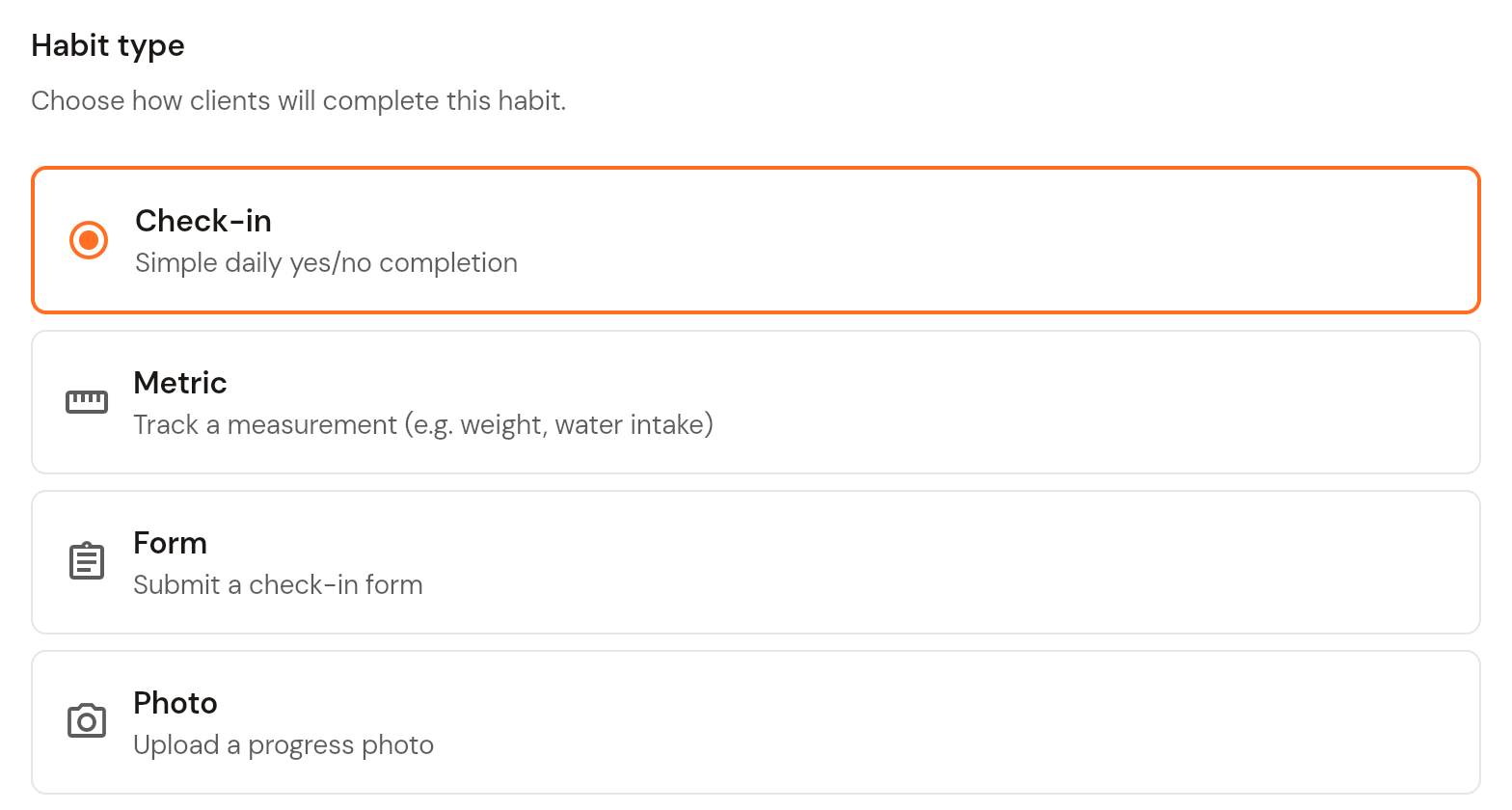
Step 2: Habit type
Choose how clients complete the habit:
Check-in: a simple daily yes/no tick.
Metric: the client logs a measurement, such as weight or water intake, against a target. See How to create metrics.
Form: the client submits one of your check-in forms. See How to create forms.
Photo: the client uploads a progress photo in set poses. See How to create poses.
Click Next.
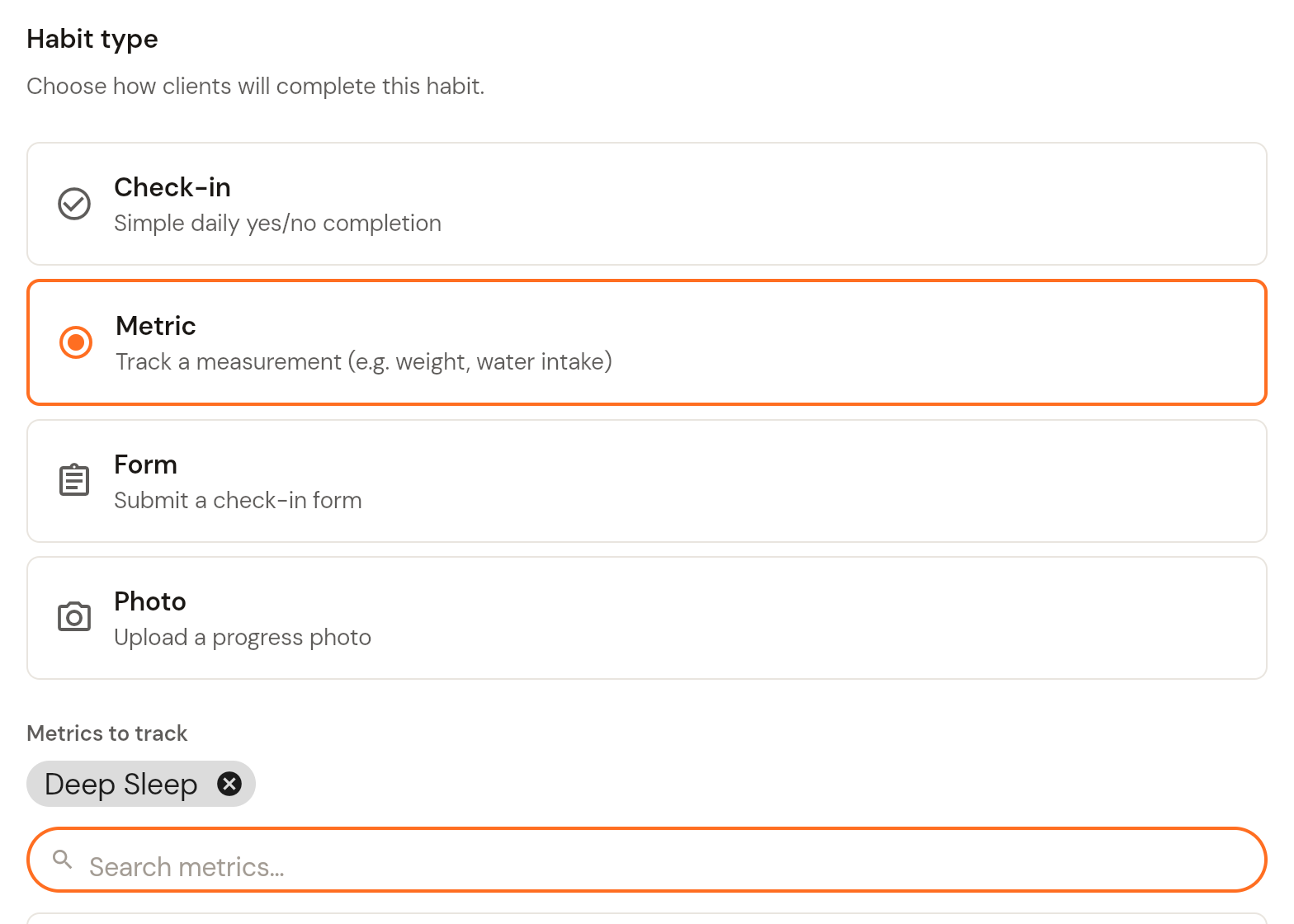
If you choose Metric, a Metrics to track list appears below the types. Search or click + to add one or more metrics (built-in metrics like Water Intake, Hours of Sleep or Active Calories, plus your custom metrics). Selected metrics show as chips above the search box. Click Next.
Step 3: Set targets (Metric habits)
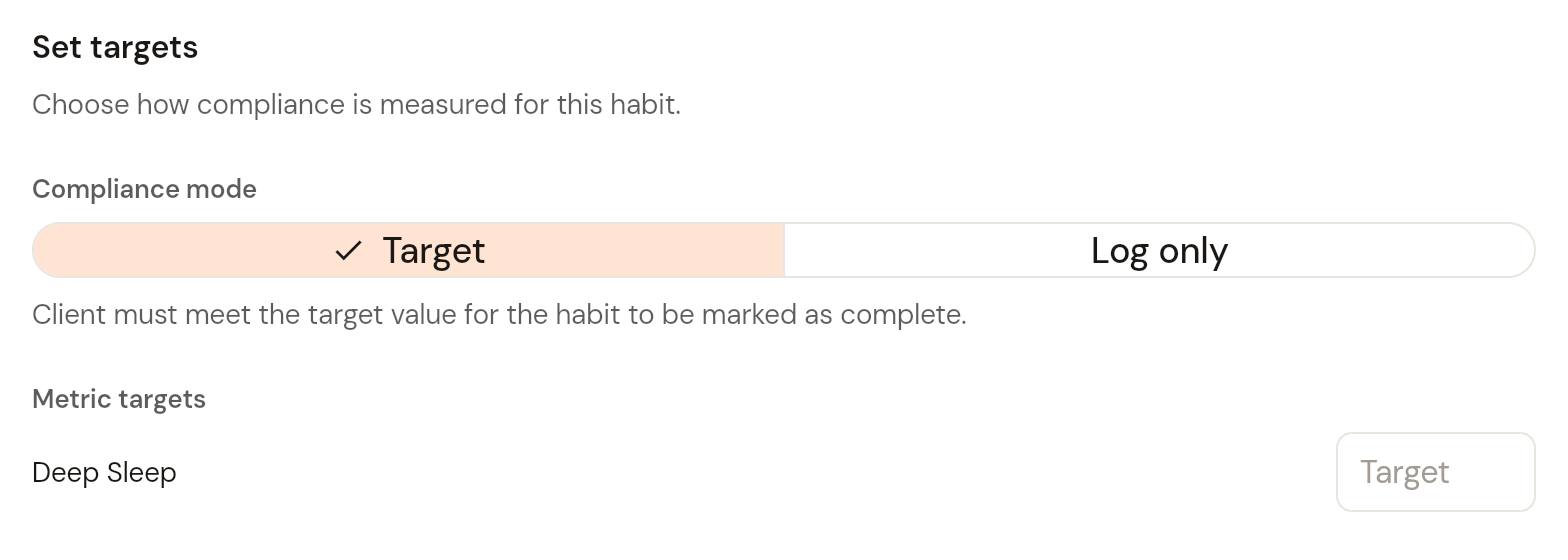
Choose a Compliance mode. Target means the client must reach the target value for the habit to count as complete. Log only means any logged value counts. With Target selected, enter a Target for each metric. Click Next.
Step 4: Set frequency
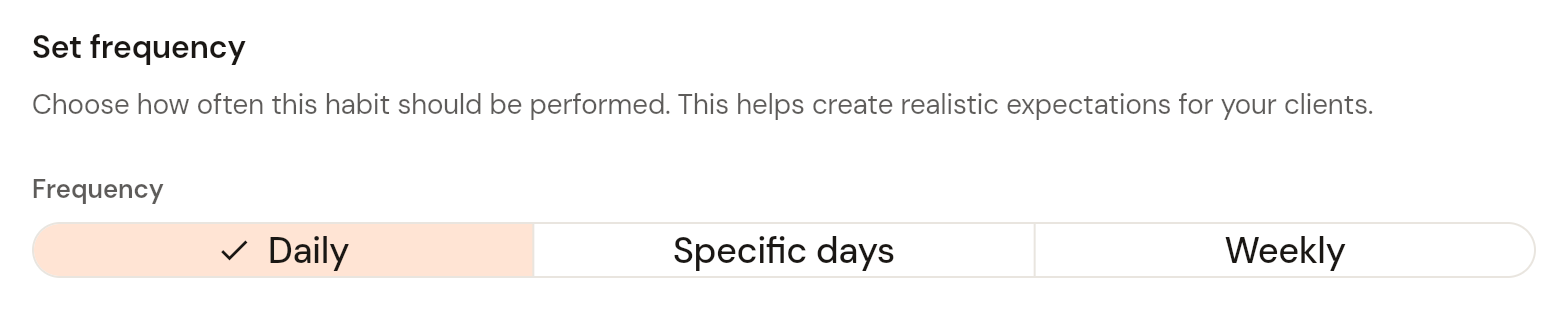
Choose how often the habit is performed: Daily, Specific days (tick the days of the week), or Weekly (choose 1 to 7 times per week). Click Next.
Step 5: Set timing
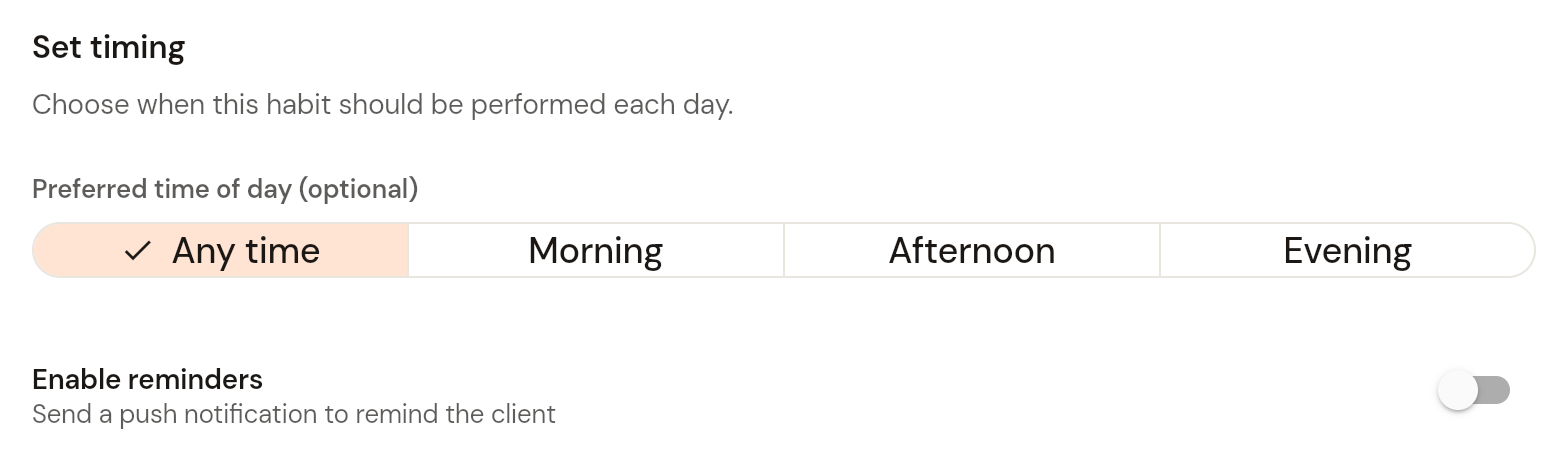
Optionally choose a Preferred time of day: Any time, Morning, Afternoon or Evening. Turn on Enable reminders to send the client a push notification. Click Next.
Step 6: Review
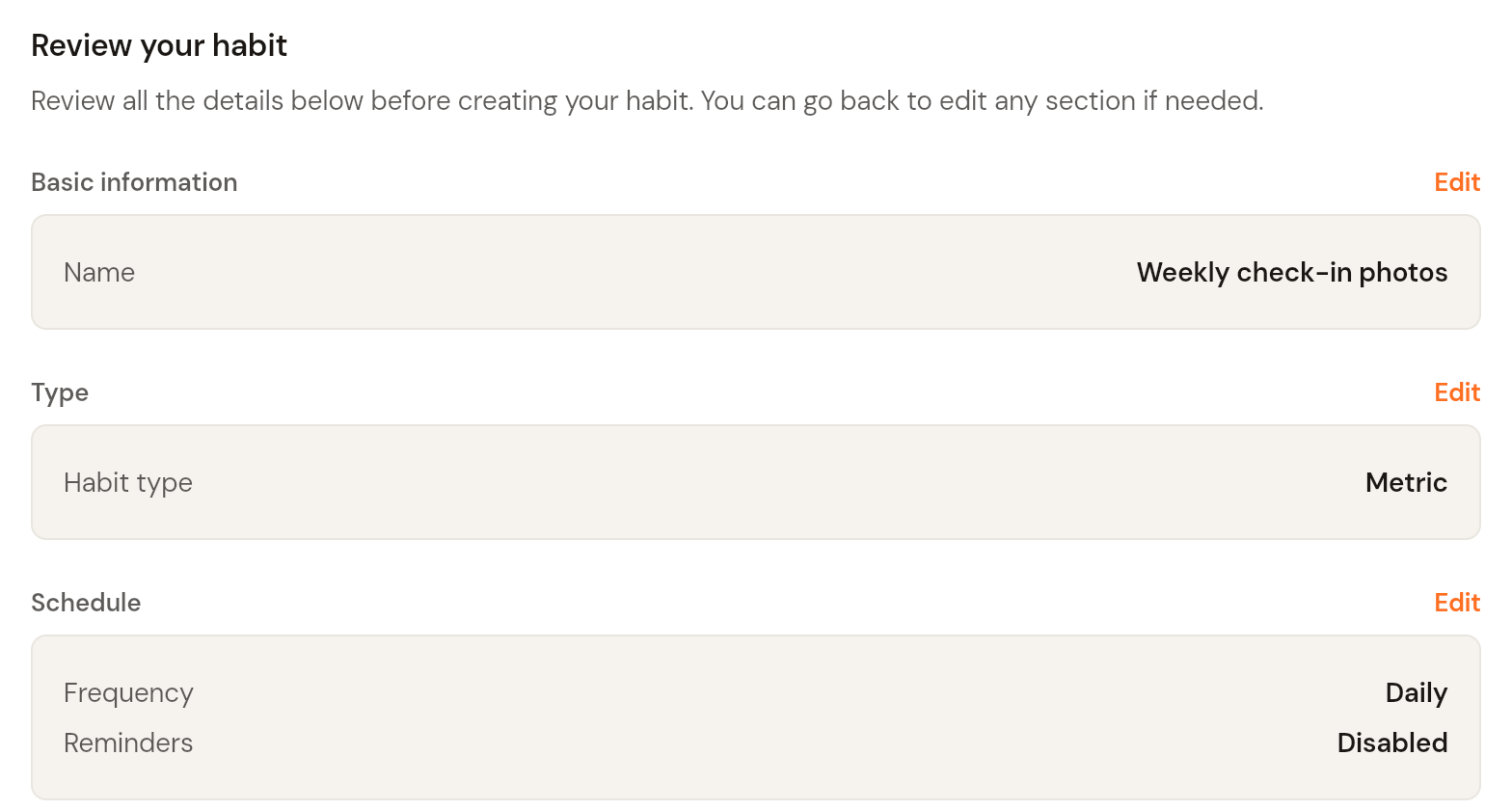
Check the summary. Each section has an Edit link if you need to change something. Click Create habit. The habit appears in your Templates list, ready to assign. See How to assign a habit to your client.
Was this helpful?
Still need help? Share an idea