How to Request a Client to Sync Their Health Integration
Ask a client to connect Apple Health so their eligible metrics sync into CoreCoach.
Written By Jacob Elliott
Last updated 1 day ago
If a client's health metrics are not appearing, you can send them a request to connect Apple Health from their client settings.
Send the request
Go to Clients and click the client's name to open their profile.
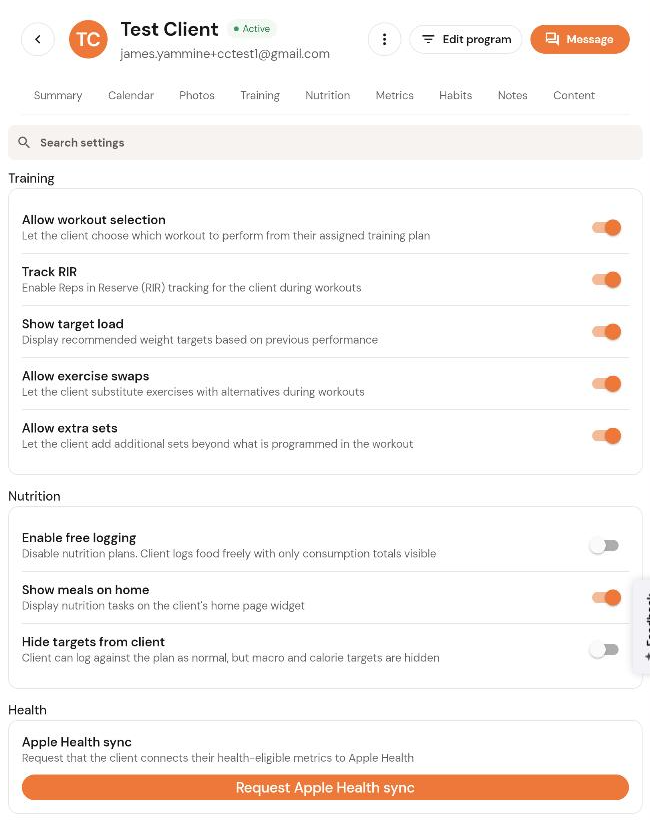
Click the three-dot menu next to their name and choose Settings.
Scroll to Health and click Request Apple Health sync.
The client is asked in their app to connect the health-eligible metrics to Apple Health. Once they accept, those metrics sync into CoreCoach automatically.