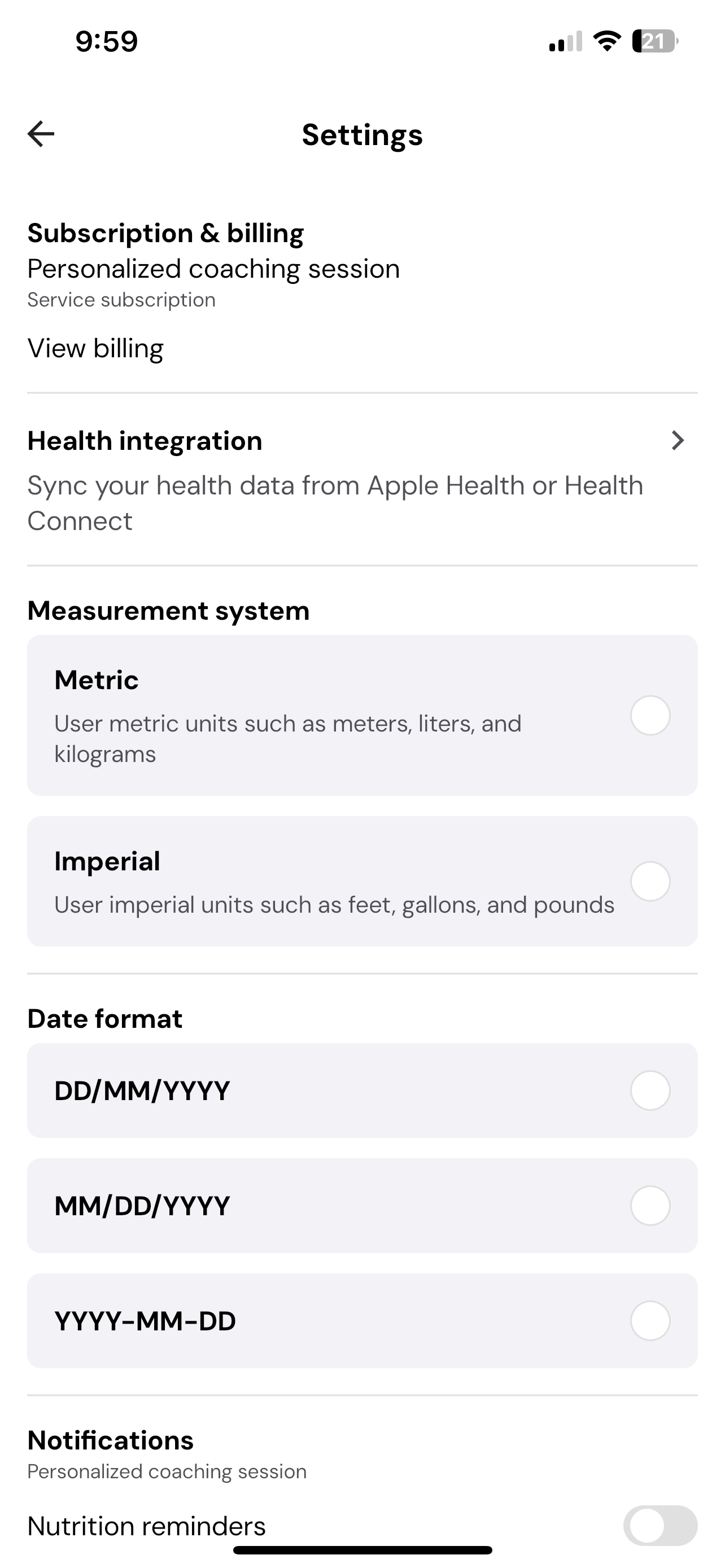
How to update settings in CoreCoach
How to update notification preferences, date format and measurement system
Written By Jacob Elliott
Last updated 6 months ago
Steps to Update Your Settings
1. Open Your Profile
From the Home page, tap your profile picture in the top-right corner.
This will take you to your Profile section, where you can view your personal information and account details.
2. Go to the Settings Page
In the Profile section, tap the gear icon (⚙️) located in the top-right corner.
This will open the Settings page, where you can manage all your app preferences.
3. Adjust Your Preferences
On the Settings page, you can:
Adjust Notification Preferences — Choose which alerts you’d like to receive from your coach or the app.
Change Date Format — Select how you’d like dates to appear throughout the app (e.g., DD/MM/YYYY or MM/DD/YYYY).
Change Measurement Units — Toggle between metric (kg, cm) and imperial (lbs, inches) units for your workouts and stats.
Manage Account Options — If needed, you can delete your account or log out from this page.
Connect Your apple health - You can connect your apple health so it can integrate with your habit tracking