How to Turn On Nutrition Free Logging for a Client
Let a client log food freely without a nutrition plan, from the client settings page.
Written By Jacob Elliott
Last updated About 2 months ago
Free logging turns off nutrition plans for a client and lets them log whatever they eat. They see their consumption totals but no plan or targets. It is a per-client setting.
Turn on free logging
Go to Clients and click the client's name to open their profile.
Click the three-dot menu next to their name (top of the profile) and choose Settings.
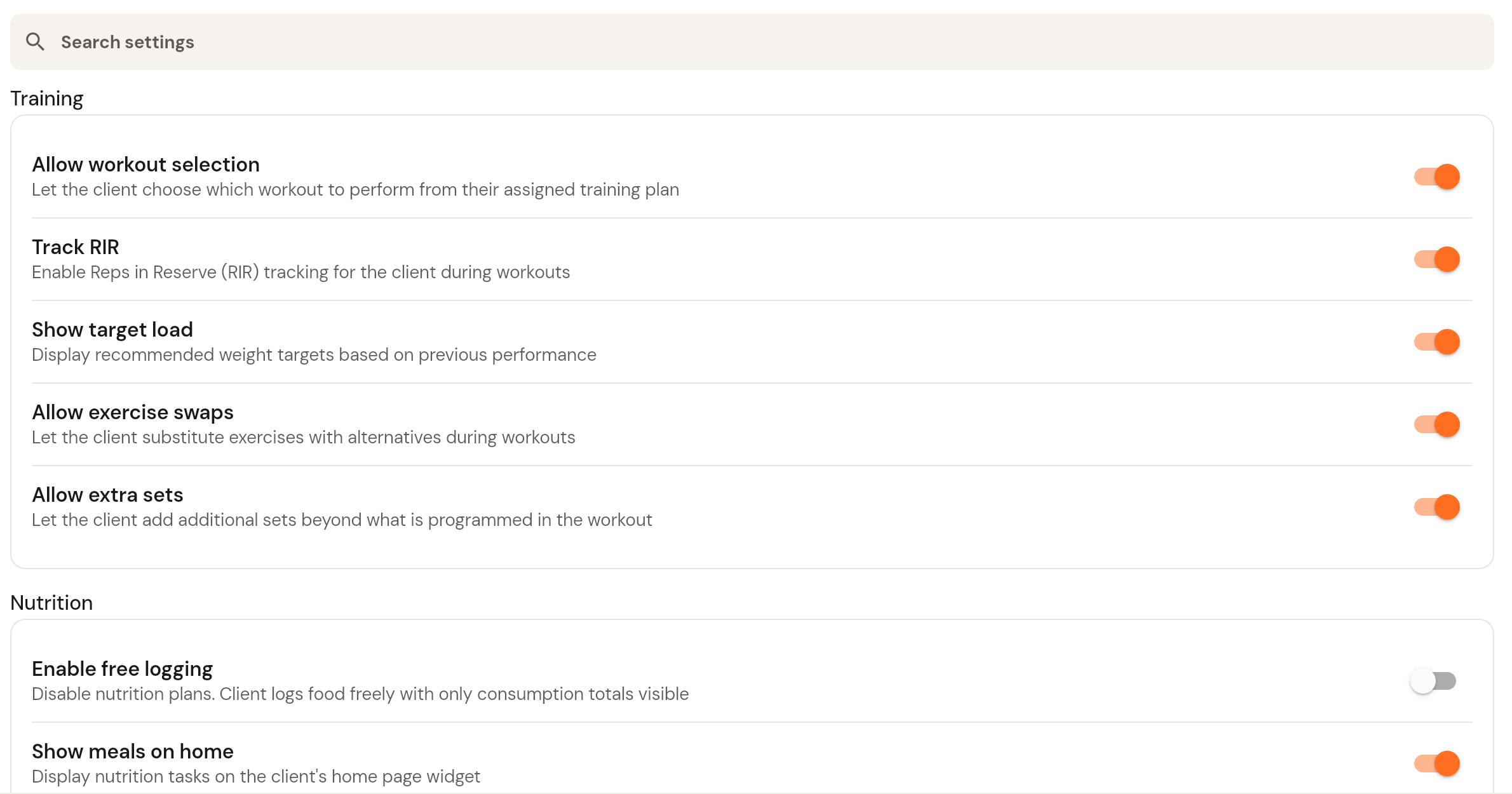
Under Nutrition, switch on Enable free logging.
The change applies straight away. Switch it off again to return the client to plan-based logging.
Related nutrition settings on the same page
Show meals on home: shows the client's nutrition tasks on the home page widget in their app.
Hide targets from client: the client logs against their plan as normal, but macro and calorie targets are hidden from them.
Was this helpful?
Still need help? Share an idea