How to log your workout
How to start and log your workout in CoreCoach
Written By Jacob Elliott
Last updated 6 months ago
Navigating to Your Workout
Video walkthrough of how to log a workout
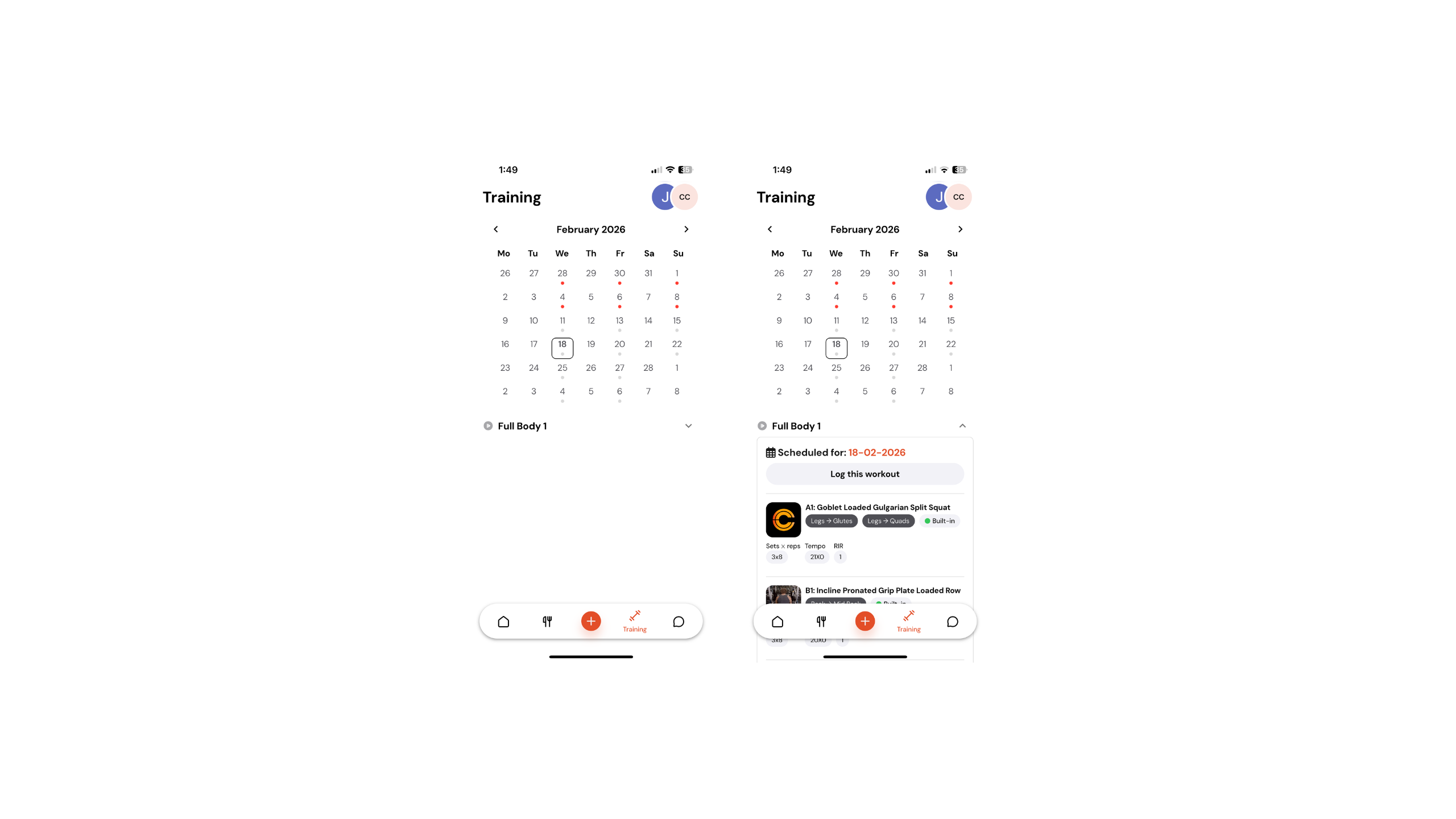
First, navigate to your Training Page. Once there, you will see your training calendar.
Today’s date will automatically be selected.
Below the date, you’ll see the name of the assigned workout.
Tap on the workout name to view the workout details. If this is the workout you are completing, click Log This Workout.
Starting the Workout Logger
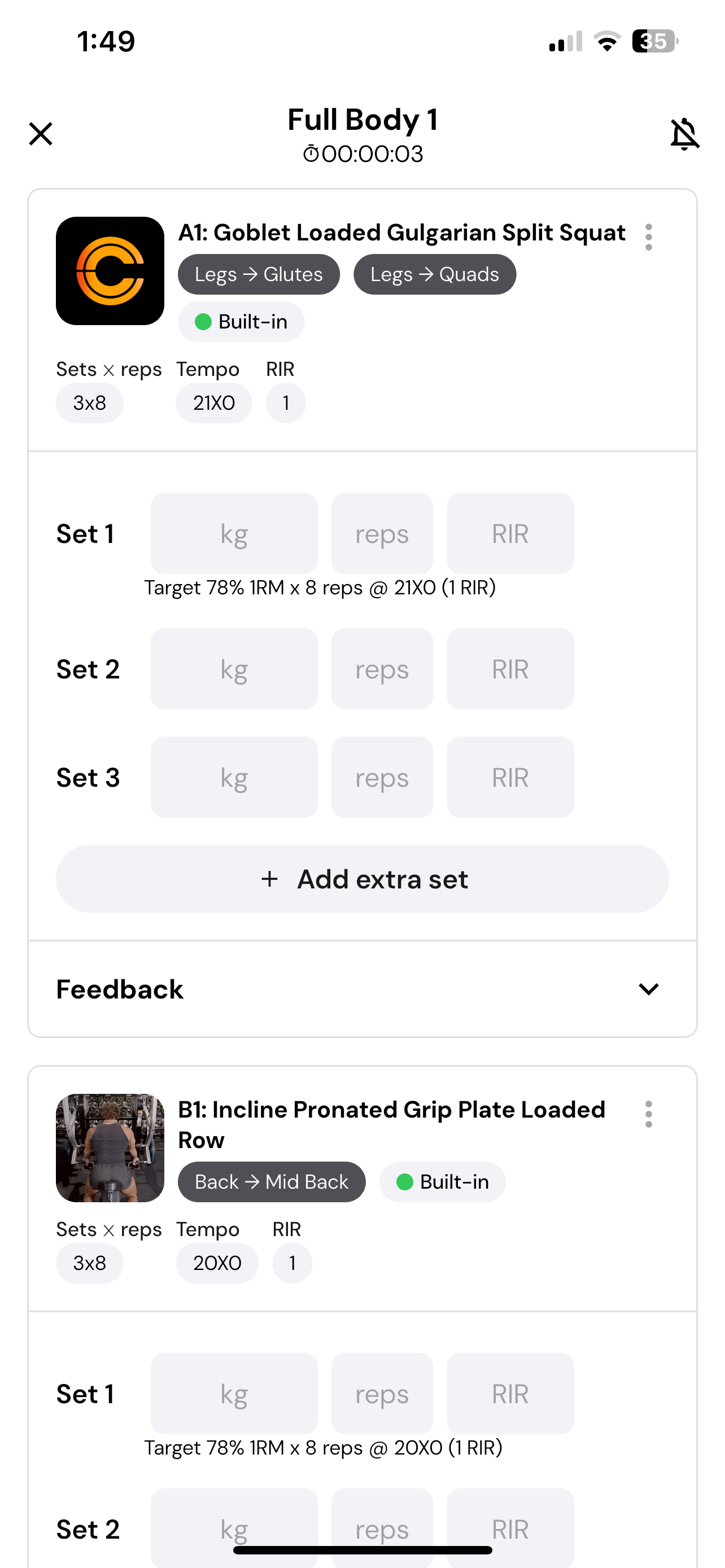
Once you enter the workout logger:
A timer will appear at the top of the screen, tracking the length of your workout for your coach to see.
Exercises are listed in the order your coach wants you to complete them. Start from the top whenever possible.
For each exercise, log the following for every set:
Weight
Reps
RIR (Reps in Reserve)
Below each input, you may also see guidance from your coach on what to aim for (e.g., target weight, reps, or RIR). If you skip a set, simply leave it blank.
You can also add more sets at any time by clicking + Add Extra Set.
Exercise Options
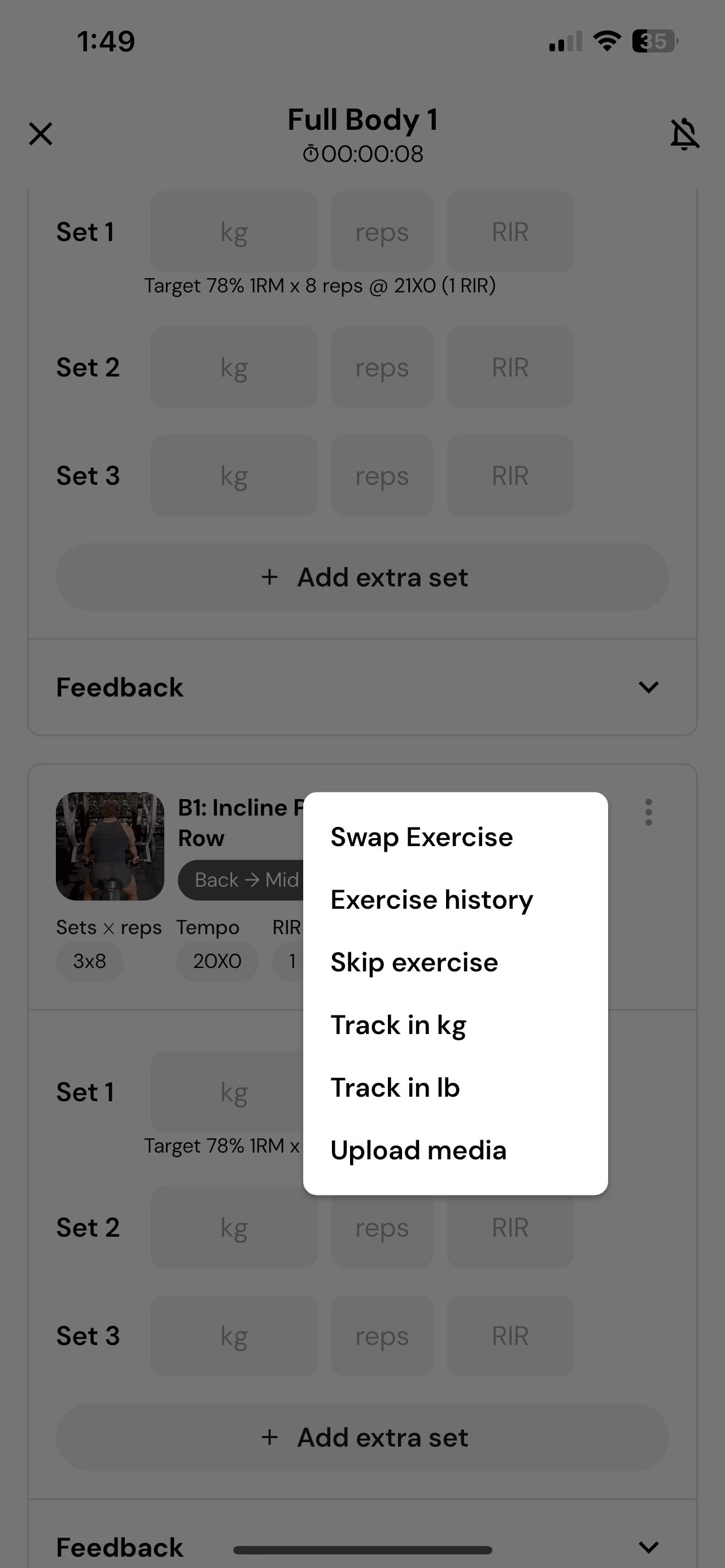
If you need to make changes to an exercise, click the three dots in the top right corner.
You’ll see the following options:
Swap Exercise – Replace the current exercise with an alternative.
Exercise History – View your past performance for this movement.
Skip Exercise – Remove the exercise from the current session.
Track in kg / Track in lb – Select your preferred unit for logging weights.
Upload Media – Add a video or photo for form checks or progress tracking.
These tools give you flexibility to adjust, review, and personalise your workout while still keeping everything logged in one place.
Adding Feedback
Under each exercise, you can provide feedback for your coach.
Rate the exercise.
Add notes with any additional thoughts or comments.
Completing Your Workout
As you progress, continue logging your sets and exercises.
When you finish:
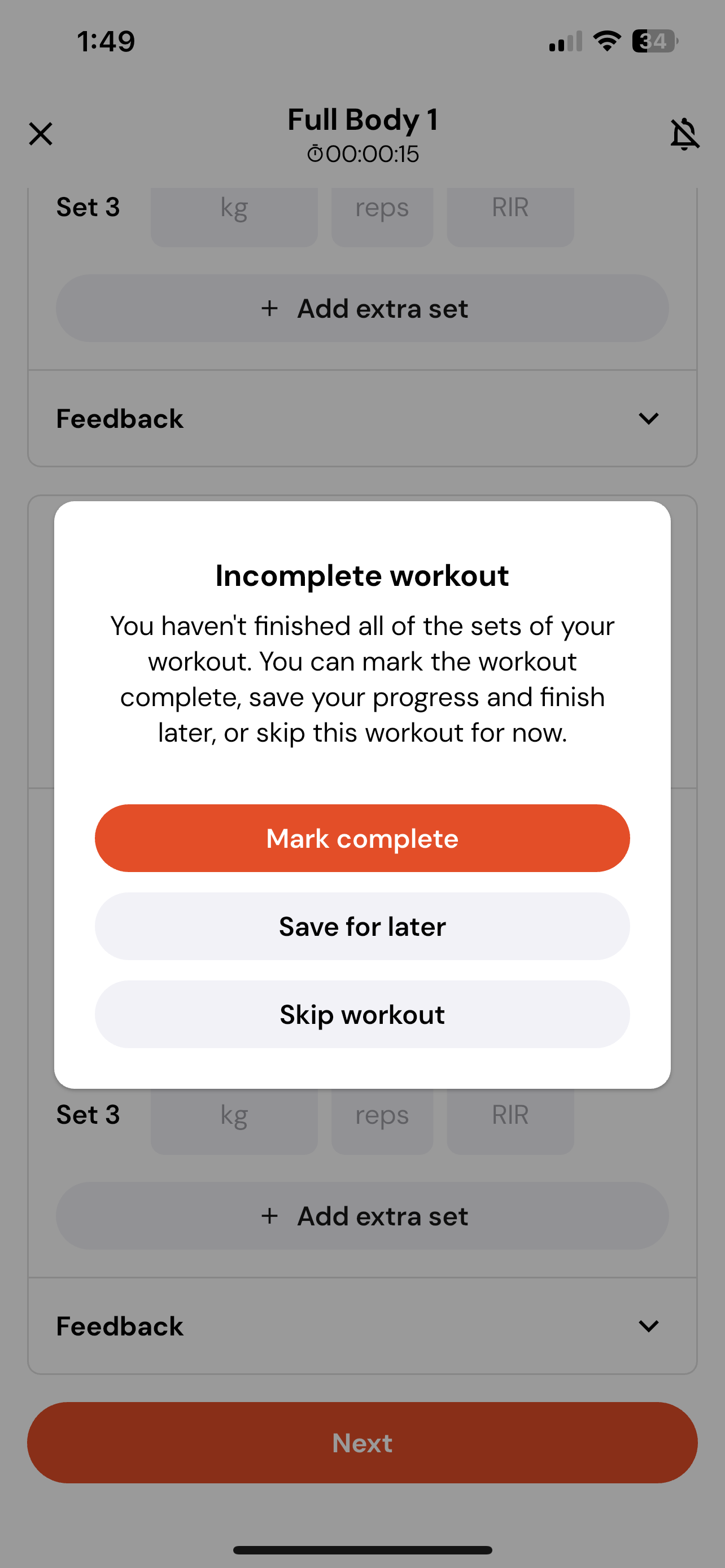
Tap Next at the bottom of the page.
You will have three options:
Mark Complete – Finalise and submit your workout.
Save for Later – Pause and return to complete the workout later.
Skip Workout – Mark the workout as skipped.
If you choose to complete the workout, you’ll be shown a summary of everything you logged.