Create and Manage Chats With Your Clients
CoreCoach lets you easily message clients through direct chats, group chats, or broadcast messages.
Written By Jacob Elliott
Last updated 1 day ago
Video walkthrough of how to create and manage a chat
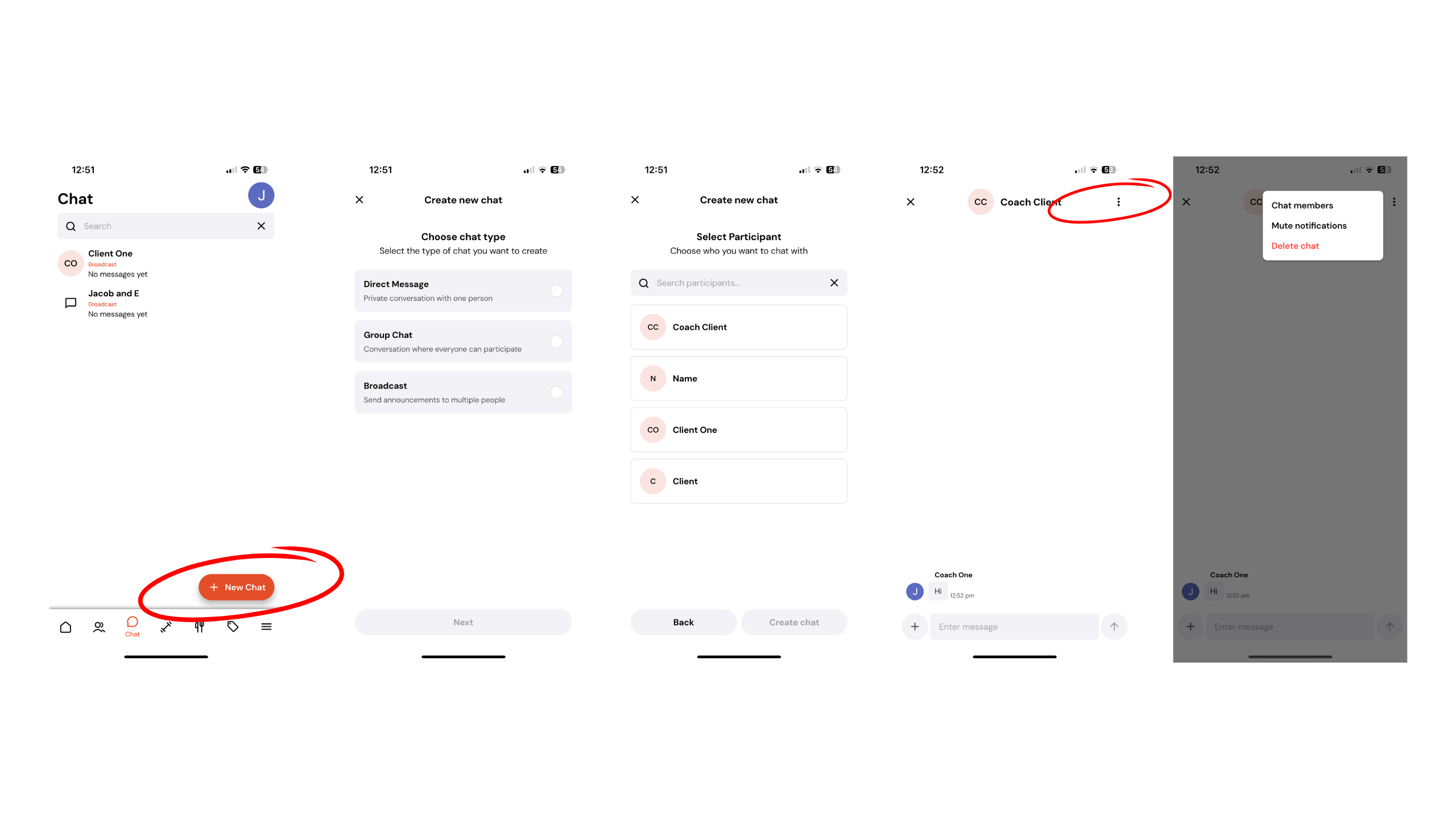
To create a new chat, open Coaching in the left menu and click Chat, or click the + next to Chat to start one straight away. You’ll be prompted to choose the chat type you want to create:
Direct Message
Group Chat
Broadcast
Select the type you want, then add the participant(s) you’d like to include. Once added, your chat will be created instantly.
(In group and broadcast chats, you can @ your clients inside the chat)
To manage an existing chat, open the chat and tap the three dots in the top-right corner. Here you can:
View chat members
Mute notifications
Rename the chat
Delete the chat
To react to messages, simply hold down on a message. You can add emoji reactions, reply directly, download attachments (such as photos), or delete your own message.