How to edit your custom recipe in CoreCoach
Editing/updating your custom recipe
Written By Jacob Elliott
Last updated 6 months ago
1. Go to the Nutrition Page
From the bottom navigation bar, tap Nutrition, then select Recipes.
This will take you to your list of custom recipes.
2. Open the Recipe You Want to Edit
Scroll through your recipe list and tap on the custom recipe you’d like to update.
This will open the recipe’s details page.
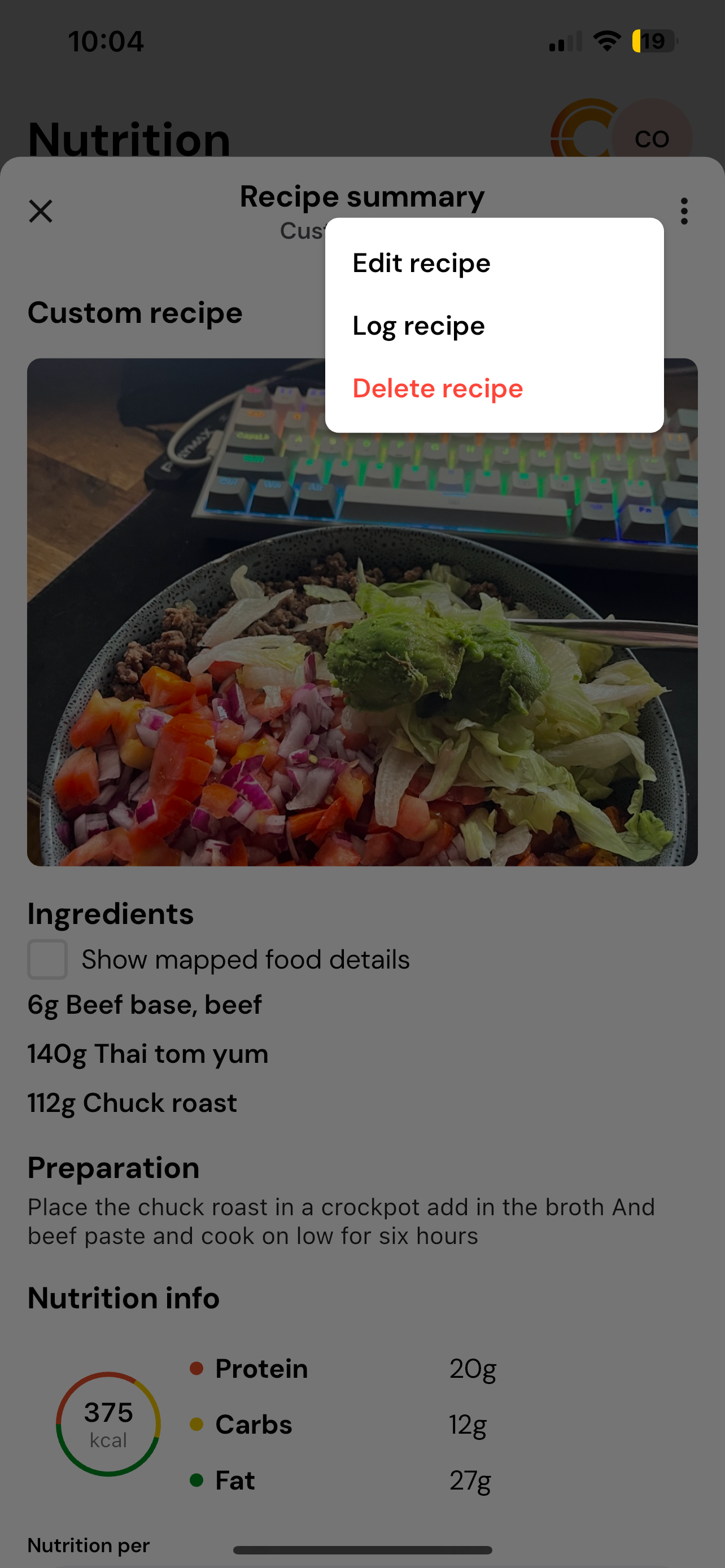
3. Tap the Edit Button
Once inside the recipe, tap the Edit button.
This will take you through the same step-by-step flow you used when creating the recipe.
4. Make Your Changes
Update any information you’d like — such as:
Ingredients or their weights
Preparation instructions
Serving sizes
Recipe name, description, or cover photo
When finished making edits, tap Next to move through the remaining steps.
5. Save Your Updated Recipe
After reviewing your changes, tap Finish.
Your recipe will now be updated and saved to your Custom Recipes list.